Hey there, check out your monthly wrap on all things edu-tech in 2022
No images? Click here

Term 3️⃣ Tech Talk
Hi there,
Here we are, back again for another edition of edu-tech goodness. I trust everyone had a great break, and I’m jealous of anyone that was able to escape the bitterness that is Victorian winter.
Before we kick off, whilst this edition will focus on all the usual tools and tips, be on the lookout for our special Launchpad 23 Series in the coming weeks. These will be based around planning for 2023 – Yes, I know, crazy to be talking about next year already. However, I feel it is important that you put yourself in the best possible position to go from good to great. Sometimes change can come at a slow pace and putting wheels in motion early is important. Change management aside, supply chain issues continue to cause havoc across the world, especially in the tech industry, so it is important that you have your path forward mapped out ahead of time.
If you missed out on our last offering, you can catch up here. And, if you think someone else at your school might get a better kick out of this than you, please feel free to forward this one and they can subscribe here.
Ok, let's get into it!

🔦 Platform Spotlight – Figma Edu
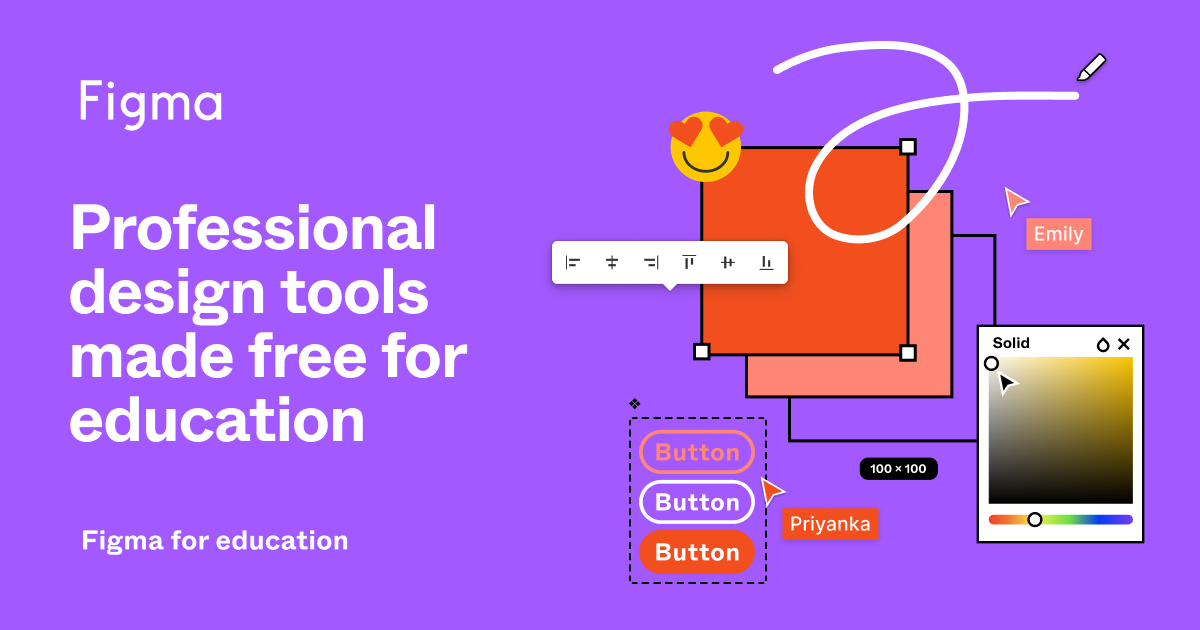
This one is for any of our secondary school teachers out there that do a bit of design thinking, user-experience design or web/app development with their students. Figma is a huge player in this space for developers and product people all over the world. If you have heard of them before, did you know they offer free Pro accounts to edu users?
Their T&Cs state that it is for users 13 & up. Sorry, primary school friends – you can still use it as a teacher, just can’t set up the whole Figma classroom experience. Find out more here.

🛠 Tech Tool Round Up
Apple Tools
- 📸 Apple unveils the winners of their Macro
Shot on iPhone Challenge. Might be something you can share with your students if looking at Photography focused activities.
- 🎨 Have you seen the Today at Apple presents Creative Projects series of videos? Some great sources of inspo for creative lessons using your Apple devices.
Google Workspace Tools
- 📄 You can now select multiple parts of text at once in your Google Docs. Great way to speed up the formatting process
- ✏️ Primary teachers rejoice – your prayers have been answered! You can now add Victorian Cursive font to your Google Docs/Slides. How? Simply click the More Fonts option (under where you would normally change the font) and search “edu”. This will bring up all Australian education fonts for you to add as you wish.
- 👩💻 Google Sites now allows you to embed full page content. Makes your pages look much cleaner if only displaying one item
- ✍️ Google Forms bring long overdue formatting & editing options to text. Finally!
Mixed Bag of Tools
- 🕹 Microsoft have a new course for
any teachers running their own eSports comps. A great way to engage students in 2022!
- 🔮 Spheros are everywhere in schools! What a great tool they are indeed. Registration for the Sphero Global Challenge 2022-2023 season is open. Check it out if you’re looking at new and challenging ways to use your Spheros.
- 🤡 Looking for a funky new avatar for your profile image? Here is a new site that has popped up that you could use with your students as well.
- 👩🏫 Adobe Express users, have you seen their Education Exchange page? Whole host of lesson ideas for you to use! You could even use the ideas with other platforms.

Free Edu-Tech Workshops from Apple and Google
Looking for some professional learning from the mothership itself? Well look no further! See below for 10 free to join sessions from the teams at Apple Education and Google for Education. These sessions are designed for teachers so they aren’t super technical and highlight some really practical ways you can put your tech to work in your classes - and they are even held after the final school bell.
Apple
Education Workshops
Term 3
- 18 August: Children as Movie Makers – Clips on iPad
- 25 August: Children as Musicians – GarageBand on iPad
- 1 September: Children as Storytellers – Pages on iPad
Term 4
- 3 November: Children as Creators – Augmented Reality on iPad
- 10 November: Children as Animators – Keynote on iPad
For more detail and how to register for these sessions, see here.
Google for Education Workshops
Term 3
- 18 August - Multimedia production and tools for creativity
- 15 September - Originality and effective research
Term 4
- 20 October - Applied Digital Skills and Computer Science
- 17 November Wrapping up your year and managing student accounts
- 15 December - Setting yourself up for success in 2023
For more detail and how to register for these sessions, see here.
🕵🏼♀️ Myth Buster Part I:
Beyond the Box only sell and service Apple products..
INCORRECT!
Whilst we are an Apple Authorised Service Provider, we also specialise in full stack managed IT support for schools (and business). What does this mean? It means we can help you manage your:
- WiFi networks 📡
- approach to IT security and data management 🔒
- onboarding of new and existing staff in the digital space 👩💻
- Microsoft Office 365 and Windows device fleet 🖥
- Chromebook and Google Workspace instances 💻
- software and application licensing 🎟
- core server and switching stacks 🚀
- telephony systems 📞
- CCTV infrastructure and management 🚨
- swipe card and site access 🔑
- and of course, all your Apple devices and apps 🍎


💬 Thought Bubble - Screen Time
Screen time is always a hot topic of tech-conversation for parents. There is no definitive answer, and I don’t recommend adding more tech to the equation as their first port of call. A robust conversation around healthy and responsible technology use, coupled with a family technology plan or agreement, is where they should be starting.
However, if they have ticked off the above and still need a little help with management, I came across this new service that might give parents a few more tools to work with - Grace: Parental Controls for Apple Devices. Have a more in depth read about it here, and their main website is available as well.


🦁 App Safari - Stop Motion Studio & Tayasui Sketches
🎥 Stop Motion Studio is a really robust app for those looking to have some fun with stop animation. Bonus: it is available to use on Chromebook, Mac and Windows devices as well.

🎨 There are plenty of digital art apps out there but Tayasui Sketches offers an easy-to-use interface and produces a realistic final product.


🎁 Prize Pack Giveaway! STM Sleeves
At Beyond the Box we take pride in the brands we partner with and STM is no exception. They offer a wide range of solutions for all your device care needs, produce a quality product, and are always looking to innovate as technology evolves.
Our man Jayshil at STM has looked after us and I’ve got a few STM Ridge laptop sleeves to give away so if you’re looking for a slick sleeve to protect your device, you’re in luck! Simply reply to this email and let
me know how your life would be different if you didn’t have a laptop in your life.. I don’t have millions of readers so the chances of you winning are pretty good 😂

🕵🏼♀️ Myth Buster Part II:
I can only purchase Apple devices for my school from Beyond the Box..
INCORRECT!
Whilst we can definitely hook you up with the latest Apple gear, we also can provide very competitive pricing on Chrome OS and Microsoft Surface devices too. We have helped plenty of schools tailor a technology plan that suits their settings specific needs.
Not only that, we have all the cases, cables and adapters that the modern teacher needs to power through the day.
Let me know if you want to talk about your next move.


And just to round things off, a few fun things you can share with your staff, students or friends.
- 🕹 Anyone consider themselves a Nintendo aficionado? See how you compare against this guy..
- 🕰 Teaching the students about the history of computers? Or even just a great tool for looking into the past.
- 📱 If you're looking for a hit of early mobile phone nostalgia. Nokia is back! Well, they never really went anywhere..
- 🧻 Don’t think too much about this one - a collection of the most useless websites on the planet.. Pointer Pointer and Paper Toilet being my personal favs..
- 🧱 Lastly, one for the gaming/Lego nerds out there – Atari is back again, in Lego form!
Anyway, that is enough for now. I’ll be back with more next month. If you’ve made it this far, thank you!
Cheers
Dan 👨💻
PS. Feel free to flick me a message if you want to talk technology in the context of your school. Simply reply to this email and you're good to go.
PPS. We are keeping things ticking over on our socials as well. Few tech tips, apps we love, retro-tech nostalgia - check us out if you're on the hunt for something fresh to follow. Links below 👇


